
Binary Calculator-Use our Binary Calculator to add, subtract, multiply, and divide binary numbers quickly and easily. You can also use it to understand binary to decimal, hexadecimal, and octal conversions.Make complicated calculations easier with our Hex Calculator simple free calculator tools.
⚡ Binary Arithmetic Calculator
🔢 Convert Binary to Decimal Value
🔢 Convert Decimal to Binary Value
Binary numbers may look confusing at first because they use only two digits, 0 and 1. But once you understand the basic rules, binary math becomes much easier.
This free online binary calculator is useful for students, programmers, computer science learners, electronics students, and anyone who wants to check a binary calculation.
What Is a Binary Calculator?
A Binary Calculator is an online tool that performs mathematical calculations using the binary number system.
The binary number system is also called base 2 because it uses only two digits:
0 and 1
A normal decimal number uses ten digits from 0 to 9, while a binary number uses only 0 and 1.
For example:
- Decimal 1 = Binary 1
- Decimal 2 = Binary 10
- Decimal 3 = Binary 11
- Decimal 4 = Binary 100
- Decimal 5 = Binary 101
- Decimal 10 = Binary 1010
Our calculator can make these calculations much easier without requiring you to work through every step manually.
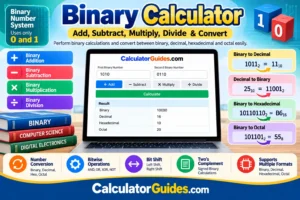
What Can a Binary Calculator Do?
A good binary calculator can be used for several common calculations.
You can use it for:
- Binary addition
- Binary subtraction
- Binary multiplication
- Binary division
- Binary to decimal conversion
- Decimal to binary conversion
- Binary to hexadecimal conversion
- Binary to octal conversion
- Decimal to hexadecimal conversion
- Binary number checking
- Bitwise calculations
- AND, OR, XOR, and NOT operations
- Left and right bit shifts
- Two’s complement calculations
Basic binary calculator tools commonly provide arithmetic results in binary and may also show the equivalent decimal, hexadecimal, and octal values.
How to Use the Binary Calculator
Using the binary calculator online is simple.
Step 1: Enter the first binary number
Enter a number containing only 0 and 1.
For example:
1010
Step 2: Enter the second number
For addition, subtraction, multiplication, or division, enter another binary number.
For example:
0110
Step 3: Select the operation
Choose what you want to calculate:
- Add
- Subtract
- Multiply
- Divide
Step 4: Calculate
Click the calculate button.
The calculator will show the answer in binary and, depending on the calculator settings, its decimal, hexadecimal, or octal equivalent.
What Is a Binary Number?
A binary number is a number written using only 0 and 1.
Each position in a binary number represents a power of 2.
Starting from the right side, the values are:
1, 2, 4, 8, 16, 32, 64, 128, …
For example:
1011
can be written as:
1 × 8 + 0 × 4 + 1 × 2 + 1 × 1
So:
8 + 0 + 2 + 1 = 11
Therefore:
1011₂ = 11₁₀
This is the basic idea behind binary to decimal conversion.
Binary Place Value
Binary uses powers of 2 instead of powers of 10.
For example:
| Binary Position | Value |
|---|---|
| 1st from right | 1 |
| 2nd from right | 2 |
| 3rd from right | 4 |
| 4th from right | 8 |
| 5th from right | 16 |
| 6th from right | 32 |
| 7th from right | 64 |
| 8th from right | 128 |
This is why an 8-bit unsigned binary number can represent values from 0 to 255.
Binary Addition
Binary addition works in a similar way to normal addition, but there are only two digits.
The basic rules are:
- 0 + 0 = 0
- 0 + 1 = 1
- 1 + 0 = 1
- 1 + 1 = 10
The last rule is important.
In binary:
1 + 1 = 10
The 0 stays in the current position and 1 is carried to the next position.
Binary Addition Example
Let’s calculate:
1010 + 0110
In decimal:
1010 = 10
0110 = 6
So:
10 + 6 = 16
The binary result is:
10000
Therefore:
1010 + 0110 = 10000
Binary calculators are useful for checking carries and confirming the final result.
Binary Subtraction
Binary subtraction also follows rules similar to decimal subtraction.
The basic rules include:
- 0 − 0 = 0
- 1 − 0 = 1
- 1 − 1 = 0
When you need to subtract 1 from 0, you must borrow from the next position.
Binary Subtraction Example
Consider:
1101 − 0110
Convert them to decimal:
1101 = 13
0110 = 6
Therefore:
13 − 6 = 7
The binary answer is:
0111
So:
1101 − 0110 = 0111
Binary Multiplication
Binary multiplication is simpler than decimal multiplication because you only work with 0 and 1.
The basic rules are:
- 0 × 0 = 0
- 0 × 1 = 0
- 1 × 0 = 0
- 1 × 1 = 1
For example:
101 × 11
In decimal:
101 = 5
11 = 3
5 × 3 = 15
Therefore:
101 × 11 = 1111
A binary multiplication calculator can save time when the numbers become longer.
Binary Division
Binary division follows the same basic idea as normal long division.
For example:
1100 ÷ 11
Convert to decimal:
1100 = 12
11 = 3
12 ÷ 3 = 4
Therefore:
1100 ÷ 11 = 100
If a binary division does not divide evenly, the calculator may show a quotient and remainder.
Binary to Decimal Calculator
A binary to decimal calculator converts a base-2 number into a normal base-10 number.
For example:
10110
Starting from the right:
- 0 × 1 = 0
- 1 × 2 = 2
- 1 × 4 = 4
- 0 × 8 = 0
- 1 × 16 = 16
Add them:
16 + 4 + 2 = 22
Therefore:
10110₂ = 22₁₀
The calculator can perform this conversion instantly.
Decimal to Binary Calculator
You can also convert a decimal number into binary.
For example, let’s convert:
25
to binary.
The powers of 2 that make 25 are:
16 + 8 + 1 = 25
So the binary representation is:
11001
Therefore:
25₁₀ = 11001₂
A decimal-to-binary converter is useful when working with computer science problems, programming, networking, and digital electronics.
Binary to Hexadecimal
Hexadecimal, or hex, is a base-16 number system.
It uses:
0–9 and A–F
Binary and hexadecimal work well together because one hexadecimal digit represents four binary bits.
For example:
1011 = B
So:
1011 0110 = B6
Therefore:
10110110₂ = B6₁₆
This makes hexadecimal a shorter way to write long binary values.
Binary to Octal
Octal is a base-8 number system.
It uses digits from:
0 to 7
To convert binary to octal, group the binary digits in groups of three from the right.
For example:
101101
Group them:
101 101
101 in binary = 5
101 in binary = 5
Therefore:
101101₂ = 55₈
A binary calculator can perform this conversion automatically.
Binary, Decimal, Hexadecimal and Octal
These four number systems are commonly used in computer science and programming.
| Number System | Base | Digits |
|---|---|---|
| Binary | 2 | 0–1 |
| Octal | 8 | 0–7 |
| Decimal | 10 | 0–9 |
| Hexadecimal | 16 | 0–9, A–F |
For example, the number 15 can be written as:
- Binary = 1111
- Decimal = 15
- Octal = 17
- Hexadecimal = F
Showing the same value in multiple number systems makes it easier to understand how they relate to each other.
Binary Calculator for Bitwise Operations
Binary numbers are also used for bitwise operations.
Common bitwise operations include:
- AND
- OR
- XOR
- NOT
- Left shift
- Right shift
These operations work directly with individual bits.
They are commonly used in programming, computer science, networking, and digital electronics.
Binary AND
The AND operation gives 1 only when both bits are 1.
| A | B | A AND B |
|---|---|---|
| 0 | 0 | 0 |
| 0 | 1 | 0 |
| 1 | 0 | 0 |
| 1 | 1 | 1 |
Example:
1010 AND 1100 = 1000
Binary OR
The OR operation gives 1 when at least one of the bits is 1.
Example:
1010 OR 1100 = 1110
Binary XOR
XOR gives 1 when the two bits are different.
Example:
1010 XOR 1100 = 0110
Binary NOT
NOT changes each bit:
0 becomes 1
and
1 becomes 0
For example, with a fixed 4-bit width:
NOT 1010 = 0101
The exact result of NOT depends on the selected bit width.
Binary Left Shift
A left shift moves bits to the left.
For an unsigned binary number, shifting left by one position is equivalent to multiplying by 2 when there is no overflow.
Example:
0011
Shift left:
0110
Decimal:
3 → 6
Binary Right Shift
A right shift moves bits to the right.
For an unsigned value, a one-bit right shift is equivalent to dividing by 2 and keeping the integer result.
Example:
1000
Shift right:
0100
Decimal:
8 → 4
The exact behavior of right shifts can differ for signed values, so the chosen bit width and signed interpretation matter.
What Is Two’s Complement?
Two’s complement is a common way computers represent signed integers using binary bits.
It allows a fixed number of bits to represent both positive and negative numbers.
For example, in an 8-bit signed system:
00000001 = +1
while:
11111111 = -1
Two’s complement depends on the selected bit width. An 8-bit signed value has a different range from a 16-bit signed value.
Signed vs. Unsigned Binary Numbers
Binary values can be interpreted as unsigned or signed.
Unsigned
An unsigned binary number represents zero and positive values only.
For 8 bits, the range is:
0 to 255
Signed
A signed binary number can represent positive and negative values.
For 8-bit two’s complement, the range is:
-128 to 127
This difference is important when working with programming languages, computer memory, and digital systems.
Binary Calculation Example
Let’s solve:
1011 + 1101
Convert both numbers to decimal:
1011 = 11
1101 = 13
Add them:
11 + 13 = 24
Now convert 24 back to binary:
11000
Therefore:
1011 + 1101 = 11000
The result can also be shown as:
Binary: 11000
Decimal: 24
Hexadecimal: 18
Octal: 30
Showing the answer in several number systems is useful for checking your calculation.
Common Binary Numbers
Here is a quick binary conversion table:
| Decimal | Binary | Hex |
|---|---|---|
| 0 | 0000 | 0 |
| 1 | 0001 | 1 |
| 2 | 0010 | 2 |
| 3 | 0011 | 3 |
| 4 | 0100 | 4 |
| 5 | 0101 | 5 |
| 6 | 0110 | 6 |
| 7 | 0111 | 7 |
| 8 | 1000 | 8 |
| 9 | 1001 | 9 |
| 10 | 1010 | A |
| 11 | 1011 | B |
| 12 | 1100 | C |
| 13 | 1101 | D |
| 14 | 1110 | E |
| 15 | 1111 | F |
Why Do Computers Use Binary?
Computers and digital electronic systems work with two-state signals.
These two states can be represented mathematically as:
0 and 1
This makes binary a natural number system for digital computing.
Binary is used in many areas, including:
- Computer processors
- Computer memory
- Digital electronics
- Programming
- Networking
- Data storage
- Operating systems
- Embedded systems
Understanding binary can therefore help you understand how digital systems represent and process information.
Who Can Use a Binary Calculator?
Students
Students can use it for computer science, mathematics, digital electronics, and number-system homework.
Programmers
Programmers may need binary, hexadecimal, and bitwise calculations when working with low-level data.
Electronics Students
Binary calculations are important when learning digital logic and computer hardware.
Networking Students
Binary is useful when learning IP addresses, subnetting, masks, and other networking concepts.
Teachers
Teachers can use the calculator to demonstrate binary arithmetic and number-system conversions.
Common Binary Calculator Mistakes
Entering numbers other than 0 and 1
A binary number normally contains only:
0 and 1
For example, 10101 is valid, but 10201 is not a valid standard binary integer.
Confusing binary with decimal
The number 10 means ten in decimal, but 10 in binary means two.
Forgetting the carry
Remember:
1 + 1 = 10
The 1 must be carried to the next position.
Using the wrong bit width
Two’s complement and some bitwise operations depend on the number of bits being used.
Confusing hexadecimal with decimal
Hexadecimal uses letters A through F, while decimal does not.
Frequently Asked Questions
What is a Binary Calculator?
A Binary Calculator is an online tool used to perform arithmetic and other calculations with base-2 numbers. It can calculate binary addition, subtraction, multiplication, division, and may also support conversions and bitwise operations.
What is binary?
Binary is a base-2 number system that uses only the digits 0 and 1.
What is 10 in binary?
10₂ = 2₁₀
Binary 10 represents decimal 2.
What is 1010 in decimal?
1010₂ = 10₁₀
How do I convert binary to decimal?
Multiply each binary digit by its corresponding power of 2 and add the results.
For example:
1010 = 8 + 2 = 10
How do I convert decimal to binary?
Break the decimal number into powers of 2 and mark the positions that are needed.
For example:
13 = 8 + 4 + 1
So:
13 = 1101₂
Can a binary calculator add two binary numbers?
Yes. Enter the two binary numbers and select addition.
For example:
1010 + 0011 = 1101
Can a binary calculator subtract binary numbers?
Yes. Binary subtraction works in a similar way to decimal subtraction but uses binary borrowing.
Can a binary calculator multiply binary numbers?
Yes. Binary multiplication uses the same basic idea as decimal multiplication, but each digit is only 0 or 1.
Can a binary calculator divide binary numbers?
Yes. Binary division can produce a quotient and, when the division is not exact, a remainder.
What is hexadecimal?
Hexadecimal is a base-16 number system that uses digits 0–9 and letters A–F.
What is octal?
Octal is a base-8 number system that uses digits from 0 to 7.
What is the difference between binary and decimal?
Binary uses base 2 and only the digits 0 and 1. Decimal uses base 10 and the digits 0 through 9.
What is 11111111 in decimal?
As an 8-bit unsigned number:
11111111₂ = 255₁₀
What is 1 + 1 in binary?
1 + 1 = 10
The result represents decimal 2.
What is a bit?
A bit is a binary digit. Its value can be 0 or 1.
What is a byte?
A byte is commonly made up of 8 bits.
For example:
10101100
is an 8-bit binary value.
What is two’s complement?
Two’s complement is a method used to represent signed positive and negative integers using binary bits.
Is binary difficult to learn?
Not really. The basic idea is simple because there are only two digits. Once you understand powers of 2 and the basic arithmetic rules, binary calculations become much easier.
Final Thoughts
Binary may look unusual at first, but the basic idea is simple: binary uses only 0 and 1.
Our Binary Calculator helps you work with binary numbers without doing every calculation by hand. You can use it for binary addition, subtraction, multiplication, division, binary-to-decimal conversion, decimal-to-binary conversion, hexadecimal conversion, octal conversion, and common bitwise operations.