
Date Calculator-Use our free Date Calculator to find the number of days between two dates, add or subtract days, calculate weeks and months, find a future or past date, and count business days.Make calculations simple with our Time Card Calculator, Time Calculator and easy-to-use online tools.
📅 Days Between Two Dates
CalculatorGuides
A Date Calculator is a simple tool for working with dates. You can use it to find the number of days between two dates, calculate a date in the future or past, add or subtract days from a date, and work out how much time is left until an important date.
🏖️ Working Days & Holiday Calculator
CalculatorGuides
Date calculations may look easy, but they can become confusing when months have different numbers of days or when a leap year is involved. A date calculator does the counting for you and helps you get a quick result.
➕➖ Add to or Subtract from Date
CalculatorGuides
You can use a date calculator for everyday tasks such as:
- Finding days between two dates
- Counting days until a date
- Finding a date after a certain number of days
- Finding a date before a certain number of days
- Adding days, weeks, or months to a date
- Subtracting days, weeks, or months from a date
- Calculating your age
- Counting business days
- Finding weekdays
- Checking a date difference
- Calculating the length of a period
- Planning trips, projects, events, and deadlines
What Is a Date Calculator?
A date calculator is an online tool that performs calculations using calendar dates.
For example, suppose you want to know how many days there are between January 1 and January 31.
Instead of manually counting every day, you can enter both dates into the calculator and get the result immediately.
You can also ask a different type of date question, such as:
What date will it be 100 days from today?
The calculator can add 100 days to the starting date and show the exact result.
This makes date calculations much easier when the time period is long or crosses several months.
Days Between Two Dates
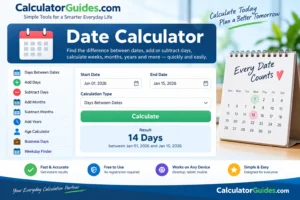
One of the most common uses of a date calculator is finding the number of days between two dates.
For example:
Start date: January 1, 2026
End date: January 15, 2026
The difference is:
14 days
This type of calculation is useful for:
- Travel planning
- Work deadlines
- School assignments
- Project planning
- Event planning
- Subscription periods
- Contracts
- Holidays
- Personal goals
Remember that there is a difference between date difference and inclusive day counting.
If you count January 1 and January 15 as part of the period, the result is different from simply calculating the difference between the two dates.
A good calculator should clearly explain whether the starting and ending dates are included.
How to Calculate Days Between Dates
The basic idea is:
Days Between Dates = End Date − Start Date
For short periods, you can count manually.
For longer periods, it becomes more difficult because:
- Months have different lengths
- February has 28 or 29 days
- Leap years change the calendar
- The dates may cross multiple years
A date calculator handles these differences automatically.
Date Calculator for Future Dates
You can use a date calculator to find a future date.
For example:
Starting date: January 1, 2026
Days to add: 30
The resulting date is:
January 31, 2026
This can be useful when you need to know:
- A deadline
- A follow-up date
- A payment date
- A project milestone
- A travel date
- A renewal date
- A personal goal date
You simply enter the starting date and the number of days you want to add.
Date Calculator for Past Dates
A date calculator can also move backward from a particular date.
For example:
Starting date: March 31, 2026
Days to subtract: 30
The calculator finds the date that was 30 days earlier.
This can be useful when checking:
- Previous deadlines
- Past events
- Historical dates
- Previous billing periods
- Project start dates
- Older appointments
Add Days to a Date
To add a specific number of days to a date:
- Enter the starting date.
- Enter the number of days.
- Choose Add.
- Calculate the result.
For example:
June 1 + 100 days
The calculator counts forward 100 calendar days and gives you the exact date.
This is much safer than trying to estimate the result by adding months because months do not all have the same number of days.
Subtract Days From a Date
The same idea works in reverse.
For example:
December 31 − 50 days
The calculator counts backward 50 days and gives you the exact date.
This can be helpful when you are working backward from a deadline.
For example, if a project must be completed on a particular date and you want to know when to start a 30-day preparation period, subtract 30 days from the deadline.
Add Weeks to a Date
One week contains:
7 days
So adding weeks can be converted into adding days.
For example:
4 weeks = 28 days
If you add four weeks to a Monday, the resulting date will also be a Monday.
A date calculator can perform this calculation automatically.
Subtract Weeks From a Date
You can also move backward by a number of weeks.
For example:
10 weeks = 70 days
So subtracting 10 weeks from a date means moving back 70 calendar days.
This can be useful for planning events, training schedules, school terms, and project milestones.
Add Months to a Date
Adding months is slightly more complicated than adding days.
This is because months have different lengths.
For example:
- January has 31 days
- February usually has 28 days
- April has 30 days
- July has 31 days
A date calculator needs to handle these differences correctly.
There can also be special cases when the starting date is near the end of a month.
For example, adding one month to January 31 requires a calendar rule because February does not always have a 31st day.
Different calculators may handle these end-of-month cases differently, so the calculation method should be clearly stated.
Subtract Months From a Date
You can also calculate an earlier date by subtracting months.
For example:
October 15 − 3 months = July 15
For dates near the end of a month, the calculator needs to account for the number of days in the target month.
This is another reason why using an online date calculator can be easier than doing the calculation manually.
Add Years to a Date
Adding years is usually straightforward.
For example:
January 10, 2026 + 5 years = January 10, 2031
However, leap-day dates require special handling.
For example, February 29 exists only in leap years. A calculator needs a defined rule for what happens when a date is moved to a year that does not contain February 29.
What Is a Leap Year?
A leap year contains 366 days instead of the usual 365 days.
The extra day is added to February:
February 29
Under the Gregorian calendar, a year is generally a leap year if:
- It is divisible by 4,
- except century years must also be divisible by 400.
Therefore:
2024 was a leap year.
2028 will be a leap year.
But:
1900 was not a leap year.
2000 was a leap year.
Leap years are important for accurate date calculations.
How Many Days Are in Each Month?
Here is a quick reference:
| Month | Days |
|---|---|
| January | 31 |
| February | 28 or 29 |
| March | 31 |
| April | 30 |
| May | 31 |
| June | 30 |
| July | 31 |
| August | 31 |
| September | 30 |
| October | 31 |
| November | 30 |
| December | 31 |
February has 29 days during a leap year.
Date Difference in Months and Days
Sometimes you do not want only the total number of days.
You may want an answer such as:
2 months, 15 days
instead of:
75 days
These are not always interchangeable because months have different lengths.
For example, one calendar month can contain 28, 29, 30, or 31 days.
A calculator that provides both calendar-based differences and total days should explain how the calculation is performed.
Date Difference in Years, Months and Days
For longer periods, a date calculator can show a result such as:
3 years, 4 months, 12 days
This format is useful for:
- Age calculations
- Employment periods
- Membership periods
- Long-term projects
- Anniversaries
- Historical dates
The result depends on the exact starting and ending dates.
Age Calculator
A date calculator can also be used to calculate age from a birth date.
For example, if you enter:
Date of birth
and:
Today’s date
the calculator can determine your age in:
- Years
- Months
- Days
For example, someone may be:
25 years, 3 months, 8 days old
The exact result changes every day.
For official purposes, always use the date and age rules required by the relevant organization.
Date of Birth Calculator
A date calculator can help answer questions such as:
How old am I?
How many days old am I?
When will I turn 18?
When will I turn 21?
How many days until my next birthday?
You simply provide your date of birth and the relevant comparison date.
Days Until a Date
Another popular use is finding how many days remain until an event.
For example:
How many days until December 25?
The calculator compares the target date with today’s date and gives the remaining number of days.
This can be useful for:
- Birthdays
- Holidays
- Weddings
- Vacations
- Exams
- Product launches
- Deadlines
- Personal goals
If the target date has already passed, the result should indicate that the date is in the past rather than showing a misleading positive number.
Days Since a Date
The opposite calculation is:
How many days have passed since a particular date?
For example, you might want to know how many days have passed since the start of a project.
Enter the project start date and today’s date to find the elapsed period.
Business Days Calculator
A business day calculator counts working days instead of every calendar day.
Depending on the selected rules, business days may exclude:
- Saturdays
- Sundays
- Public holidays
The exact result depends on the country and holiday calendar being used.
For example, if you need to calculate a deadline based on 10 working days, weekends may need to be excluded.
A basic calculator may exclude weekends but not public holidays. If holidays matter, the calculator should allow the appropriate holiday calendar to be selected.
Working Days vs Calendar Days
These terms are different.
Calendar Days
Every day is counted:
Monday through Sunday
Working Days
Usually refer to business days, often:
Monday through Friday
but the exact definition can vary.
For example, a 7-calendar-day period is not always the same as 7-business-day period.
This distinction is important when calculating deadlines.
Weekday Calculator
A date calculator can tell you which day of the week a particular date falls on.
For example:
January 1, 2026
falls on a:
Thursday
This can be useful when planning:
- Meetings
- Events
- Travel
- Birthdays
- Appointments
- School schedules
You can enter any date and check its weekday.
Number of Weeks Between Dates
If you know the number of days between two dates, you can convert it into weeks.
The basic calculation is:
Weeks = Days ÷ 7
For example:
35 days ÷ 7 = 5 weeks
For periods that are not an exact number of weeks, the result can be expressed as weeks and remaining days.
For example:
38 days = 5 weeks and 3 days
Number of Months Between Dates
Calculating months between dates is more complicated than dividing the number of days by 30.
Why?
Because months have different lengths.
Using:
Days ÷ 30
is only an approximation.
If you need a true calendar-month difference, use the actual dates and a date calculation method that accounts for month lengths.
Number of Years Between Dates
For a simple year difference:
Years = Later Year − Earlier Year
But this is not always the same as a person’s completed age.
For example, if someone was born late in a year and the current date is early in the year, they may not yet have reached their next birthday.
For exact age calculations, the month and day must also be considered.
Date Calculator for Deadlines
Date calculations are especially useful for deadlines.
Suppose a task begins on:
August 1
and you have:
45 days
to complete it.
A date calculator can determine the corresponding deadline.
This avoids manually counting across August, September, and possibly October.
Date Calculator for Project Planning
Project managers can use date calculations to plan:
- Start dates
- End dates
- Milestones
- Review periods
- Delivery dates
- Working-day deadlines
For example:
Project start + 60 calendar days
or:
Project start + 30 business days
These are different calculations, so choose the appropriate option.
Date Calculator for Travel
Travel planning often involves date differences.
You may want to know:
- How many days until your trip?
- How many nights will you stay?
- How long is the trip?
- What date is 90 days after arrival?
- What date is 14 days before departure?
A date calculator can quickly answer these questions.
Date Difference vs Number of Nights
A hotel stay is often described by nights, while date differences are commonly expressed in days.
For example:
Check-in:
July 10
Check-out:
July 15
The stay is:
5 nights
The difference between the dates is also:
5 days
But the actual counting convention depends on what you are trying to measure.
Date Calculator for Contracts
Contracts may contain periods such as:
- 7 days
- 30 days
- 90 days
- 6 months
- 1 year
A date calculator can help identify the corresponding calendar date.
However, legal documents can define deadlines differently. Some contracts specify whether the first or last day is included and how weekends or holidays are treated.
For legal deadlines, follow the exact wording of the document and applicable law rather than relying solely on a general calculator.
Date Calculator for Pregnancy Due Dates
Pregnancy due-date calculations are often based on the first day of the last menstrual period or other clinical information.
A general calendar calculation may provide an estimate, but it should not replace medical assessment.
Pregnancy dating can be adjusted based on clinical information such as ultrasound findings.
Date Calculator for School and Exams
Students can use a date calculator to count:
- Days until exams
- Days until assignments are due
- School vacation length
- Study periods
- Days between tests
- Project deadlines
For example:
Exam date − today’s date
can show how many calendar days remain.
Date Calculator for Retirement
Date calculations can help determine:
- Time until a target retirement date
- Age on a particular date
- Years remaining until retirement
- Time between employment dates
For financial planning, the calculated date is only one part of the decision. Retirement planning also depends on savings, income, expenses, investments, taxes, and other factors.
Date Calculator for Anniversaries
You can use a date calculator to find:
- Years since an event
- Months since an event
- Days since an event
- Next anniversary
- Days until an anniversary
This can be useful for birthdays, weddings, business anniversaries, and other important milestones.
Date Calculator and Time Zones
A normal date calculation usually works with calendar dates rather than exact moments in time.
However, time zones can matter when you are calculating between exact timestamps.
For example:
11:30 PM in one time zone
may correspond to a different calendar date in another time zone.
For simple calendar calculations, use the relevant local date. For international schedules involving exact times, specify the time zone as well.
Inclusive vs Exclusive Date Counting
This is one of the most important things to understand.
Suppose the dates are:
January 1 to January 3
Exclusive Difference
The difference is:
2 days
Inclusive Count
Counting January 1, January 2, and January 3 gives:
3 calendar days
Neither approach is automatically “wrong.” They answer different questions.
A date calculator should clearly state which counting method it uses.
Why Date Calculations Can Be Difficult
Manual date calculations can cause mistakes because of:
- Different month lengths
- Leap years
- February
- Crossing a year
- Weekends
- Public holidays
- Inclusive counting
- End-of-month dates
- Time zones
A calculator reduces the amount of manual counting required.
How to Use the Date Calculator
Step 1: Select the Calculation
Choose what you want to find:
- Days between dates
- Add days
- Subtract days
- Add months
- Subtract months
- Add years
- Age
- Business days
- Weekday
Step 2: Enter the Date
Select the starting date.
Step 3: Enter the Second Date or Duration
Depending on the calculation, enter:
- End date
- Number of days
- Number of weeks
- Number of months
- Number of years
Step 4: Calculate
The calculator processes the dates and displays the result.
Step 5: Check the Counting Method
For important deadlines, check whether the calculation is:
- Inclusive
- Exclusive
- Calendar-day based
- Business-day based
Date Calculator Examples
Example 1: Days Between Dates
Start:
March 1, 2026
End:
March 31, 2026
The date difference is:
30 days
An inclusive count of both dates would be:
31 days
Example 2: Add 100 Days
Start:
January 1, 2026
Add:
100 days
The calculator counts forward through the calendar and provides the exact date.
Example 3: Subtract 30 Days
Start:
June 15, 2026
Subtract:
30 days
The calculator counts backward and returns the corresponding calendar date.
Example 4: Calculate Age
Birth date:
January 1, 2000
Comparison date:
January 1, 2026
Age:
26 years
Example 5: Calculate Weeks
Period:
49 days
Weeks:
49 ÷ 7 = 7 weeks
Date Calculator vs Manual Counting
Manual counting works for very short periods.
For example, finding the date three days after Monday is easy.
But calculations become harder when you need to:
- Cross multiple months
- Cross a year
- Account for February
- Include leap years
- Exclude weekends
- Calculate a long period
A date calculator is faster and reduces simple counting errors.
Common Date Calculation Mistakes
Assuming Every Month Has 30 Days
This is incorrect.
Months contain 28, 29, 30, or 31 days.
Forgetting Leap Years
February can contain 29 days.
Confusing Days With Business Days
A 10-day period is not necessarily 10 working days.
Ignoring Inclusive Counting
Counting both start and end dates changes the result.
Treating Months as Fixed Number of Days
A calendar month does not always equal exactly 30 days.
Relying on Approximate Year Calculations
A year can contain 365 or 366 days.
Frequently Asked Questions
What is a Date Calculator?
A Date Calculator is a tool that performs calculations involving calendar dates. It can find date differences, future dates, past dates, age, weekdays, and more.
How do I calculate the number of days between two dates?
Enter the starting and ending dates and calculate the date difference.
How many days are in a year?
A normal year has 365 days. A leap year has 366 days.
How many days are in February?
February has 28 days in a normal year and 29 days in a leap year.
How many weeks are in 100 days?
100 days is:
14 weeks and 2 days
because:
14 × 7 = 98
with 2 days remaining.
Can a date calculator add days to a date?
Yes. Enter a starting date and the number of days to add.
Can a date calculator subtract days?
Yes. You can move backward from a date by a selected number of days.
Can I add months to a date?
Yes, but dates near the end of a month require a defined calendar rule because months have different lengths.
How many days are between two dates?
It depends on the dates you enter and whether you want an inclusive or exclusive count.
What is the difference between inclusive and exclusive date counting?
Exclusive counting measures the difference between the dates. Inclusive counting includes both the starting and ending dates.
Can the calculator count business days?
Yes, if the calculator supports business-day calculations. Usually weekends are excluded, and some calculators also allow public holidays to be excluded.
Does a date calculator account for leap years?
A properly designed Gregorian-calendar date calculator should account for leap years.
Can I calculate my age with a Date Calculator?
Yes. Enter your date of birth and the comparison date to calculate your age.
Can I find the weekday for a date?
Yes. A date calculator can determine whether a date falls on Monday, Tuesday, Wednesday, and so on.
Can I calculate how many days are left until my birthday?
Yes. Enter your birthday and compare it with the current date.
Can I calculate days since a date?
Yes. Enter the earlier date and the current or later date.
Is a month always 30 days?
No. Months have different lengths.
Is a year always 365 days?
No. A leap year has 366 days.
Does adding 12 months always equal exactly 365 days?
Not necessarily. Calendar-month calculations and day-based calculations are different, especially when leap years or end-of-month dates are involved.
Is the Date Calculator accurate?
The mathematical result is accurate according to the calendar system and counting method used. For legal, financial, medical, or contractual deadlines, always follow the applicable rules because the official calculation may use a specific definition of the period.
Is the Date Calculator free?
Yes. The CalculatorGuides.com Date Calculator is free to use.
Date Calculator – Quick Reference
| Task | Basic Method |
|---|---|
| Days between dates | End Date − Start Date |
| Add days | Start Date + Days |
| Subtract days | Start Date − Days |
| Add weeks | Start Date + (Weeks × 7 days) |
| Subtract weeks | Start Date − (Weeks × 7 days) |
| Calculate age | Birth Date → Comparison Date |
| Weeks from days | Days ÷ 7 |
| Days in normal year | 365 |
| Days in leap year | 366 |
| Days in a week | 7 |
Conclusion
A Date Calculator is a useful tool whenever you need to work with calendar dates. It can help you find the number of days between two dates, calculate a future or past date, add or subtract days and months, calculate age, find weekdays, and count business days.
The most important thing to remember is that calendar calculations are not always simple because months have different lengths and leap years add an extra day.
It is also important to know whether you are counting calendar days or business days and whether the calculation includes both the starting and ending dates.
For everyday planning, deadlines, travel, projects, birthdays, school schedules, and other date-related tasks, the CalculatorGuides.com Date Calculator provides a quick and simple way to get the answer without manually counting through the calendar.