
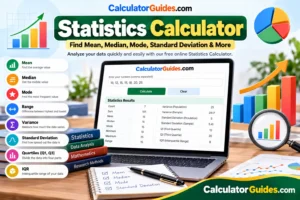
Sample Size Calculator-Our Statistics Calculator helps you quickly calculate important statistics from a list of numbers. You can find the mean, median, mode, range, variance, standard deviation, minimum, maximum, quartiles, and interquartile range (IQR) in just a few seconds.Use our online calculators to save time when solving common mathematical and financial calculations.
Determine required sample size or evaluate statistical precision📊 Sample Size & Margin of Error Calculator
You do not need to calculate everything by hand. Simply enter your numbers into the calculator and get your results instantly.
This free Statistics Calculator online is useful for students, teachers, researchers, business owners, and anyone who needs to understand a set of numbers.
What Is a Statistics Calculator?
A Statistics Calculator is an online tool that analyzes a data set and gives you useful statistical values.
For example, if you have these numbers:
10, 12, 15, 15, 18, 20, 25
you can use the calculator to find:
- Count
- Sum
- Mean
- Median
- Mode
- Minimum
- Maximum
- Range
- Variance
- Standard deviation
- Q1
- Q3
- Interquartile range (IQR)
These values help you understand the center and spread of your data.
How to Use the Statistics Calculator
Using this calculator is very easy.
Step 1: Enter Your Numbers
Enter your data set in the calculator.
You can enter numbers like:
5, 8, 10, 12, 15, 18, 20
You can also paste numbers separated by spaces or new lines if the calculator supports those formats.
Step 2: Click Calculate
After entering your numbers, click the Calculate button.
The calculator will process the data and show the statistical results.
Step 3: Check Your Results
You can see the mean, median, mode, range, variance, standard deviation, and other values.
This saves time and makes large data sets much easier to understand.
What Can the Statistics Calculator Calculate?
The calculator can be used for several common statistical calculations.
Mean
The mean is the average of a group of numbers.
To find the mean, add all the numbers together and divide the total by the number of values.
Mean Formula
Mean = Sum of Values ÷ Number of Values
For example:
10, 20, 30
Sum:
10 + 20 + 30 = 60
Number of values:
3
Mean:
60 ÷ 3 = 20
So, the mean is 20.
The mean is one of the most commonly used statistics when you want to know the average value of a data set.
Median
The median is the middle number in an ordered data set.
First, arrange the numbers from smallest to largest.
Example:
4, 7, 9, 12, 15
The middle number is 9.
Therefore:
Median = 9
If there are an even number of values, take the average of the two middle numbers.
Example:
4, 6, 10, 12
The middle numbers are 6 and 10.
Median:
(6 + 10) ÷ 2 = 8
The median can be useful when your data contains very high or very low values.
Mode
The mode is the value that appears most often in a data set.
Example:
2, 4, 4, 5, 7
The number 4 appears more often than the other numbers.
Therefore:
Mode = 4
A data set can have one mode, multiple modes, or no mode.
If every number appears only once, there is no repeated value to use as the mode.
Range
The range shows the difference between the largest and smallest values.
Range Formula
Range = Maximum − Minimum
Example:
5, 8, 10, 15, 20
Maximum = 20
Minimum = 5
Range:
20 − 5 = 15
The range gives you a quick idea of how far apart the smallest and largest values are.
Minimum
The minimum is the smallest value in your data set.
Example:
8, 12, 4, 20, 15
Minimum = 4
Maximum
The maximum is the largest value in your data set.
For the same example:
8, 12, 4, 20, 15
Maximum = 20
Count
Count tells you how many numbers are in your data set.
Example:
5, 10, 15, 20, 25
There are five values.
Count = 5
Sum
The sum is the total of all the numbers.
Example:
5 + 10 + 15 + 20 = 50
Sum = 50
Standard Deviation Calculator
Standard deviation tells you how spread out your numbers are around the mean.
If the standard deviation is relatively small, the values are closer together.
If the standard deviation is larger, the values are more spread out.
For example:
Data Set A:
9, 10, 11
Data Set B:
3, 10, 17
Both sets have a mean of 10, but the second set is more spread out.
This is why standard deviation is useful when analyzing data.
A standard deviation calculator saves you from manually calculating each difference from the mean.
Sample Standard Deviation
There are two common types of standard deviation:
- Sample standard deviation
- Population standard deviation
Sample standard deviation is normally used when your data is a sample from a larger population.
The sample standard deviation uses n − 1 in its calculation.
Sample Standard Deviation Formula
s = √[Σ(x − x̄)² ÷ (n − 1)]
Where:
- s = sample standard deviation
- x = individual value
- x̄ = sample mean
- n = number of values
If you are working with a sample, make sure your calculator is using the sample setting.
Population Standard Deviation
Population standard deviation is used when your data represents the complete population you are studying.
The population calculation uses n rather than n − 1.
Population Standard Deviation Formula
σ = √[Σ(x − μ)² ÷ n]
The choice between sample and population standard deviation depends on what your data represents.
Sample vs Population Standard Deviation
| Type | When to Use |
|---|---|
| Sample | Your data is a subset of a larger population |
| Population | Your data includes the complete population |
For example, if you survey 100 people from a city of one million people, those 100 people can be treated as a sample.
If you have data for every person in the group you are studying, you may use the population calculation.
Variance Calculator
Variance measures how much the values in a data set differ from the mean.
It is closely connected to standard deviation.
Standard deviation is the square root of variance.
There are two common forms:
- Sample variance
- Population variance
Population Variance Formula
σ² = Σ(x − μ)² ÷ n
Sample Variance Formula
s² = Σ(x − x̄)² ÷ (n − 1)
Variance is useful when you need to measure the amount of variation in a data set.
Quartile Calculator
Quartiles divide an ordered data set into sections.
The three main quartile values are:
- Q1 – First Quartile
- Q2 – Second Quartile
- Q3 – Third Quartile
Q2 is the median.
Q1 represents the lower part of the data, while Q3 represents the upper part.
Quartiles are useful for understanding how data is distributed.
Interquartile Range Calculator
The interquartile range, commonly called IQR, measures the spread of the middle part of your data.
IQR Formula
IQR = Q3 − Q1
For example:
Q1 = 10
Q3 = 25
IQR:
25 − 10 = 15
The IQR is useful because it focuses on the middle 50% of the data.
It can also be useful when looking for possible outliers.
Mean vs Median vs Mode
Mean, median, and mode are all ways of describing the center of a data set, but they work differently.
| Statistic | Meaning |
|---|---|
| Mean | Average of all values |
| Median | Middle value |
| Mode | Most frequently occurring value |
Consider this data:
2, 3, 3, 4, 18
The mean is affected by the large value of 18.
The median is 3.
The mode is also 3.
This example shows why the mean and median can give different results.
Example of a Statistics Calculation
5, 8, 8, 10, 12, 15, 20
Count
There are 7 values.
Count = 7
Sum
5 + 8 + 8 + 10 + 12 + 15 + 20 = 78
Mean
78 ÷ 7 = 11.14
Median
The middle value is:
10
Mode
The number 8 appears twice.
Mode = 8
Minimum
5
Maximum
20
Range
20 − 5 = 15
The calculator can perform these calculations automatically.
When Should You Use a Statistics Calculator?
A statistics calculator can be useful in many situations.
Statistics Homework
Students can use it to check calculations while learning statistics.
It can help with mean, median, mode, variance, standard deviation, and other common topics.
Exam Scores
Teachers and students can analyze exam results to find average scores, median scores, range, and data spread.
Survey Data
If you collect numerical survey responses, statistics can help summarize the results.
Research
Researchers often use descriptive statistics to summarize numerical data.
Business Data
Businesses can analyze sales numbers, customer data, prices, performance figures, and other numerical information.
Sports Statistics
You can use statistics to analyze scores, player performance, averages, and other numerical records.
Descriptive Statistics Calculator
A descriptive statistics calculator summarizes a data set using important numerical measurements.
Common descriptive statistics include:
- Mean
- Median
- Mode
- Minimum
- Maximum
- Range
- Variance
- Standard deviation
- Quartiles
- IQR
- Count
- Sum
These values help you understand the basic characteristics of your data without looking at every number separately.
How to Choose Between Mean and Median
One common question is whether you should use the mean or median.
The mean uses every value in the calculation.
The median focuses on the middle of the ordered data.
If your data is fairly balanced, the mean can be a useful summary.
If your data contains extreme values, the median may give you a better picture of the typical middle value.
For example, income data can contain a small number of very high values. In such cases, the median can be useful for describing the middle of the data.
Can Statistics Calculators Handle Large Data Sets?
Yes, an online statistics calculator can be useful for large lists of numbers.
Instead of entering every calculation separately, you can paste your data and calculate several statistics together.
Always check the calculator’s input rules if you are working with a very large data set or spreadsheet.
Can I Use Decimal Numbers?
Yes.
Statistics calculations can be performed with decimal values.
For example:
2.5, 4.75, 6.2, 8.5, 10.25
The calculator can calculate the statistical values from these numbers.
Can I Use Negative Numbers?
Yes.
Negative numbers can also be included in a data set.
For example:
-10, -5, 0, 5, 10
The calculator can calculate the mean, median, range, standard deviation, and other statistics from the data.
Frequently Asked Questions
What is a Statistics Calculator?
A Statistics Calculator is an online tool that calculates statistical values from a data set. It can calculate values such as mean, median, mode, range, variance, standard deviation, and quartiles.
Is this Statistics Calculator free?
Yes, a free online Statistics Calculator can be used to calculate common statistics without doing the calculations manually.
What is the mean in statistics?
The mean is the average of all values in a data set.
Mean = Sum ÷ Count
What is the median?
The median is the middle value after the numbers have been arranged from smallest to largest.
What is the mode?
The mode is the value that appears most frequently in a data set.
What is the range?
The range is the difference between the maximum and minimum values.
Range = Maximum − Minimum
What does standard deviation mean?
Standard deviation describes how spread out the values are around the mean.
What is variance?
Variance measures the amount of variation in a data set and is related to standard deviation.
What is the difference between sample and population statistics?
Sample statistics are used when your data represents part of a larger population. Population statistics are used when your data represents the complete population being studied.
What is Q1?
Q1 is the first quartile. It represents the lower quartile of an ordered data set.
What is Q3?
Q3 is the third quartile. It represents the upper quartile of an ordered data set.
What does IQR mean?
IQR means Interquartile Range.
IQR = Q3 − Q1
It measures the spread of the middle part of a data set.
Can a data set have more than one mode?
Yes. If multiple values have the same highest frequency, the data set can have multiple modes.
What if there is no mode?
If every value occurs only once, the data set has no mode.
Can I use the calculator for statistics homework?
Yes. It can be useful for checking calculations and understanding the results. For schoolwork, make sure you also understand how the calculation works.
Final Thoughts
Statistics does not have to be difficult.
Our Statistics Calculator makes it easier to analyze a list of numbers and understand what the data is telling you.
You can quickly calculate the mean, median, mode, range, minimum, maximum, variance, standard deviation, quartiles, and IQR without doing every calculation manually.
Whether you are a student, teacher, researcher, business owner, or simply working with numbers, this calculator can save time and make statistical calculations easier.