
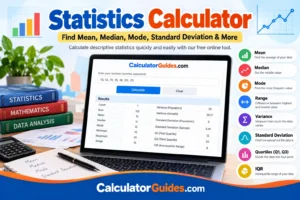
Statistics Calculator-Our Statistics Calculator makes it easy to understand a list of numbers without doing every calculation by hand. Enter your data and quickly find the mean, median, mode, range, minimum, maximum, variance, standard deviation, quartiles, and other useful statistics.Use our online calculators to save time when solving common mathematical and financial calculations.
Keypad Statistics Calculator
Calculator Guides
Statistics Calculator (Comma Separated)
Calculator Guides
You can use this free online statistics calculator for school and college assignments, exam scores, survey results, research data, business numbers, or simple everyday calculations.
Just enter your numbers, and the calculator does the math for you.
What Is a Statistics Calculator?
A statistics calculator is an online tool that analyzes a set of numbers and gives you important statistical results.
Instead of calculating every value separately, you can enter your data in one place and get a clear summary.
For example, if your data is:
10, 12, 15, 15, 18, 20, 25
a statistics calculator can help you find:
- Count
- Sum
- Mean
- Median
- Mode
- Minimum
- Maximum
- Range
- Variance
- Standard deviation
- Quartiles
- Interquartile range (IQR)
These are commonly called descriptive statistics because they describe the main features of a data set.
How to Use the Statistics Calculator
Using the calculator is simple.
Step 1: Enter your numbers
Type or paste your data into the calculator.
You can usually enter numbers separated by commas, spaces, or new lines.
For example:
5, 8, 10, 12, 15, 15, 20
Step 2: Calculate
Click the calculate button.
The calculator will process your data and show the statistical results.
Step 3: Read the results
You can then see the mean, median, mode, range, standard deviation, variance, and other values.
This is much faster than calculating each statistic manually.
What Does a Statistics Calculator Calculate?
A good online statistics calculator can provide several useful measurements.
Mean
The mean is the average of all the numbers in a data set.
To calculate the mean, add all the values together and divide the result by the number of values.
Mean formula
Mean = Sum of all values ÷ Number of values
For example:
5, 10, 15
Sum:
5 + 10 + 15 = 30
Number of values:
3
Mean:
30 ÷ 3 = 10
So, the mean is 10.
The mean is useful when you want to know the overall average of a group of numbers.
Median
The median is the middle value when the numbers are arranged from smallest to largest.
For example:
3, 5, 7, 9, 12
The middle number is 7, so the median is 7.
If there is an even number of values, the two middle numbers are added together and divided by 2.
For example:
2, 4, 8, 10
The middle numbers are 4 and 8.
Median:
(4 + 8) ÷ 2 = 6
The median can be especially useful when a data set contains very large or very small values that may affect the mean.
Mode
The mode is the number that appears most often in a data set.
For example:
2, 3, 3, 5, 7
The number 3 appears twice, while the other numbers appear once.
Therefore, the mode is 3.
A data set can have:
- One mode
- More than one mode
- No mode when no value occurs more often than another
Range
The range shows the difference between the largest and smallest values.
Range formula
Range = Maximum − Minimum
Example:
5, 8, 10, 14, 20
Maximum = 20
Minimum = 5
Range:
20 − 5 = 15
A larger range generally means the values cover a wider span.
Minimum and Maximum
The minimum is the smallest number in your data set.
The maximum is the largest number.
For example:
4, 8, 11, 15, 22
Minimum = 4
Maximum = 22
These values help you understand the boundaries of your data.
Count
Count tells you how many numbers are included in your data set.
For example:
5, 10, 15, 20
There are four numbers.
Count = 4
Sum
The sum is simply the total of all numbers in the data set.
For example:
5 + 10 + 15 + 20 = 50
Sum = 50
Standard Deviation Calculator
Standard deviation tells you how spread out the values are around the mean.
A small standard deviation means the numbers are generally close to the average.
A larger standard deviation means the numbers are more spread out.
For example, these two data sets have the same general average:
9, 10, 11
and
3, 10, 17
The second set is much more spread out, so it has a larger standard deviation.
A standard deviation calculator can calculate this value automatically.
Sample Standard Deviation
Sample standard deviation is normally used when your data represents a sample taken from a larger population.
The sample standard deviation uses n − 1 in the denominator.
Sample standard deviation formula
s = √[Σ(x − x̄)² / (n − 1)]
Where:
- s = sample standard deviation
- x = individual value
- x̄ = sample mean
- n = number of values
Population Standard Deviation
Population standard deviation is used when the data includes the complete population you are studying.
The population formula uses n in the denominator.
Population standard deviation formula
σ = √[Σ(x − μ)² / n]
The difference between sample and population standard deviation is mainly the denominator used in the calculation.
Variance Calculator
Variance measures how much the numbers in a data set vary from the mean.
It is closely related to standard deviation.
Standard deviation is the square root of variance.
A variance calculator can show both sample variance and population variance.
Population variance formula
σ² = Σ(x − μ)² / n
Sample variance formula
s² = Σ(x − x̄)² / (n − 1)
Variance is expressed in squared units, while standard deviation is expressed in the same units as the original data.
Quartiles and Interquartile Range
Some statistics calculators also provide quartiles and the interquartile range (IQR).
Quartiles divide an ordered data set into sections.
The most commonly used values are:
- Q1 – first quartile
- Q2 – second quartile, also related to the median
- Q3 – third quartile
The interquartile range measures the spread of the middle portion of the data.
IQR formula
IQR = Q3 − Q1
IQR is useful when you want to understand the middle part of a data set without giving as much weight to extreme values.
Mean vs. Median vs. Mode
These three statistics are often confused, but they answer different questions.
| Statistic | What it tells you |
|---|---|
| Mean | Average of all values |
| Median | Middle value |
| Mode | Most frequently occurring value |
For example:
2, 3, 3, 4, 18
Mean = 6
Median = 3
Mode = 3
The large value of 18 pulls the mean upward, while the median remains 3.
This is one reason median can be useful when a data set contains outliers.
Example of a Statistics Calculation
4, 6, 6, 8, 10, 12, 14
Count
There are 7 values.
Count = 7
Sum
4 + 6 + 6 + 8 + 10 + 12 + 14 = 60
Mean
60 ÷ 7 = 8.57
Median
The middle value is:
8
So the median is 8.
Mode
The number 6 appears twice.
So the mode is:
6
Minimum
4
Maximum
14
Range
14 − 4 = 10
A statistics calculator can perform these calculations instantly instead of doing them one by one.
When Should You Use a Statistics Calculator?
A statistics calculator can be useful in many situations.
Students
Students can use it for statistics homework, math assignments, exam preparation, and data analysis.
Teachers
Teachers can use it to check calculations and demonstrate statistical concepts.
Researchers
Researchers can use descriptive statistics to summarize collected data.
Business
Businesses can analyze sales figures, customer data, survey results, and other numerical information.
Surveys
If you collect survey responses using numbers, statistics can help you understand the results.
Exam Scores
You can use statistical calculations to find the average score, middle score, range, and spread of student results.
Everyday Data
You do not need to be a statistician to use a statistics calculator. It can also be useful for simple lists of numbers and personal data.
Statistics Calculator vs. Doing the Math by Hand
Calculating statistics manually is useful for learning, but it can become time-consuming when you have a large data set.
An online statistics calculator can save time and reduce simple calculation mistakes.
For example, instead of manually finding:
- Mean
- Median
- Mode
- Range
- Variance
- Standard deviation
- Quartiles
you can enter your data once and get the results together.
For learning, it is still a good idea to understand what each result means.
Sample vs. Population: What Is the Difference?
One common question is whether to use sample or population statistics.
Population
Use population statistics when your data includes the complete group you are studying.
For example, if you are analyzing the scores of every student in a particular class and that entire class is your population, you may treat those scores as the population.
Sample
Use sample statistics when your data represents only part of a larger group.
For example, if you survey 100 people to learn about a much larger population, those 100 people are a sample.
The sample standard deviation and population standard deviation use different formulas.
What Is Descriptive Statistics?
Descriptive statistics are numbers used to summarize and describe a data set.
Common descriptive statistics include:
- Mean
- Median
- Mode
- Minimum
- Maximum
- Range
- Variance
- Standard deviation
- Quartiles
- IQR
- Count
- Sum
A descriptive statistics calculator can provide several of these values at the same time.
Frequently Asked Questions
What is a statistics calculator?
A statistics calculator is an online tool that calculates statistical measurements from a set of numbers. Depending on the tool, it can calculate mean, median, mode, range, variance, standard deviation, quartiles, and more.
Is the statistics calculator free?
Yes. A free statistics calculator can be used to calculate common statistical values without doing the calculations manually.
What is the formula for mean?
The mean is calculated by adding all values and dividing the total by the number of values.
Mean = Sum ÷ Count
What is the difference between mean and median?
The mean is the average of all values. The median is the middle value after the numbers are arranged in order.
What is the mode in statistics?
The mode is the value that occurs most frequently in a data set.
What is the range in statistics?
Range is the difference between the largest and smallest values.
Range = Maximum − Minimum
What does standard deviation tell you?
Standard deviation describes how spread out the values are around the mean. A smaller value generally means the data points are closer to the average, while a larger value indicates more spread.
What is variance?
Variance measures the average squared distance of values from the mean. Standard deviation is the square root of variance.
What is the difference between sample and population standard deviation?
Population standard deviation uses n in the denominator, while sample standard deviation uses n − 1.
Can a data set have more than one mode?
Yes. If multiple values occur with the same highest frequency, the data set can have multiple modes.
Can a data set have no mode?
Yes. If every value occurs only once, there is no repeated value and therefore no mode.
Can I use decimals in a statistics calculator?
Yes. Statistics calculations can be performed with decimal values as well as whole numbers.
Can I use negative numbers?
Yes. Negative numbers can be included in a statistical data set as long as they are valid numerical values.
What is IQR?
IQR stands for Interquartile Range.
IQR = Q3 − Q1
It measures the spread of the middle 50% of the data.
Final Thoughts
Statistics can look complicated when you have to calculate every value manually. A Statistics Calculator makes the process much easier.
Enter your numbers and you can quickly find the mean, median, mode, range, minimum, maximum, variance, standard deviation, quartiles, and IQR.
Whether you are a student working on a statistics assignment, a teacher checking calculations, a researcher analyzing data, or simply working with a list of numbers, an online statistics calculator can save time and make the results easier to understand.
Use the calculator above to enter your data and get your statistical results quickly.